Management software for beer clubs & lounges
Stock arrives by crate but sells by bottle, and happy hour changes prices by the clock. SealSales converts units automatically and applies timed promos itself.
- AI across operations, management and reporting
- E-invoicing & tax
- Free forever, no card required
Where notebooks and spreadsheets fall apart
Wrong-table orders and slow dishes because kitchen and cashier are out of sync
Menus with many toppings, sizes and variants are hard to set up in legacy software
No visibility into ingredient usage — stock quietly leaks away
A day at beer clubs & lounges on SealSales
Five stages in the order the day actually happens — each one built in, nothing to bolt together.
From order to kitchen in seconds
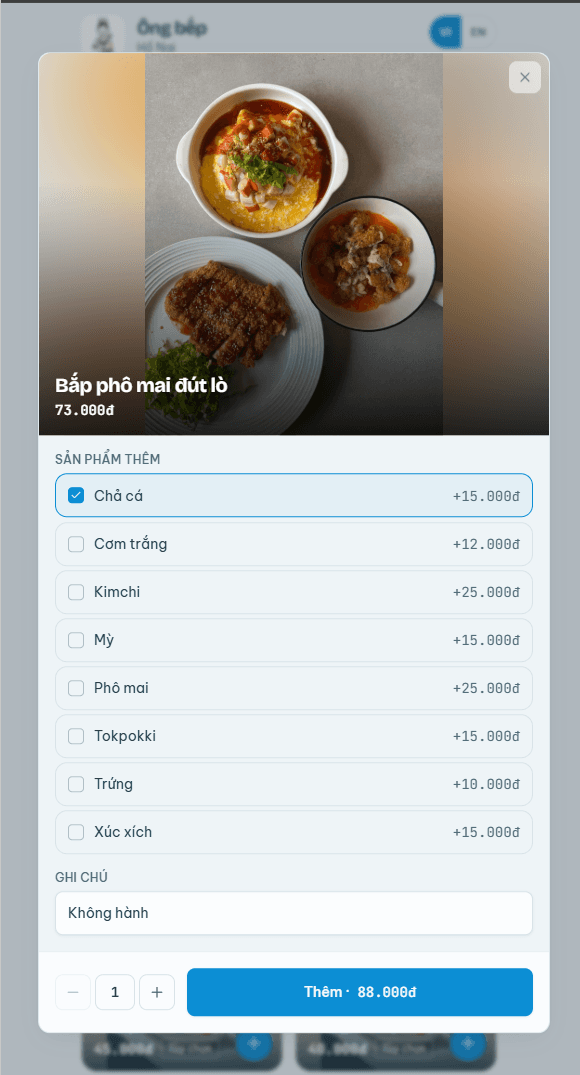
- Staff take orders on a phone at the table, or guests scan the QR on the table and order themselves — no running back and forth with paper.
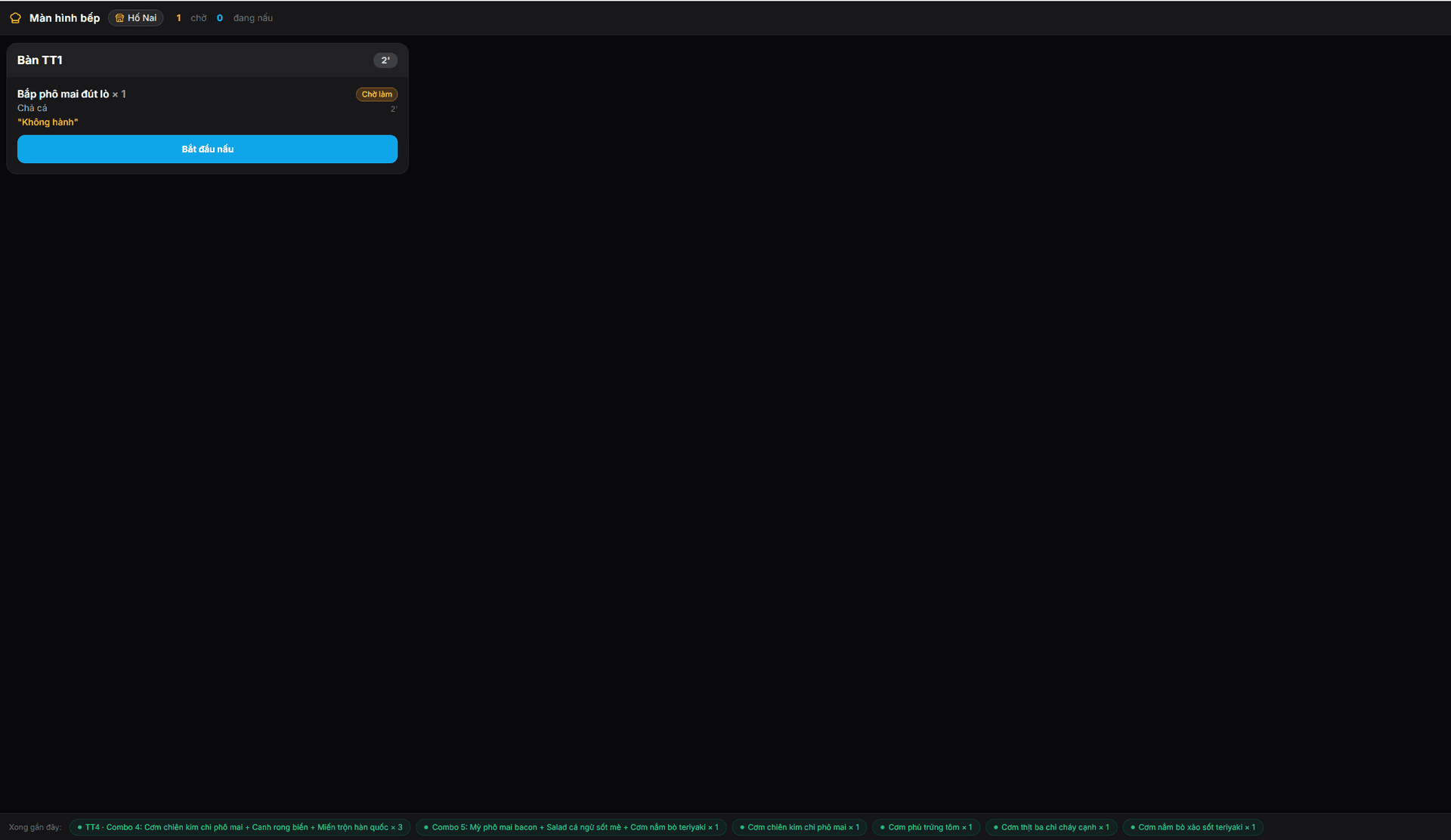
- Confirming an order sends it to the right prep station instantly; tickets that wait too long change colour so they get priority.
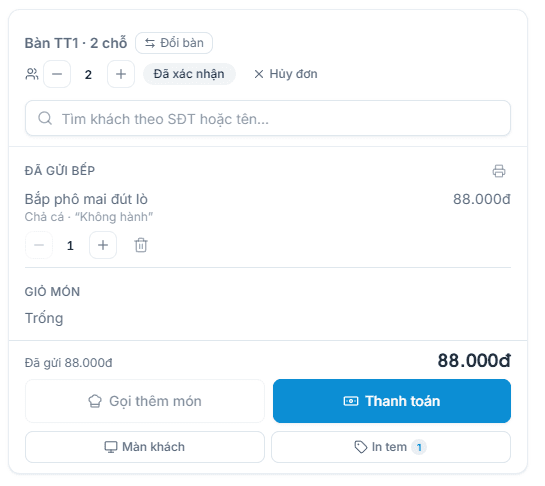
- Repeat rounds keep adding to the same table bill, so nothing is missed when it is time to pay.
Sizes, toppings and combos set up once
- Define M/L sizes, sugar and ice levels, required or optional add-on groups — each choice adds the right amount.
- Assign one add-on group to dozens of items at once instead of repeating the setup per item.
- Combos sell for one price while still deducting the stock of every item inside.
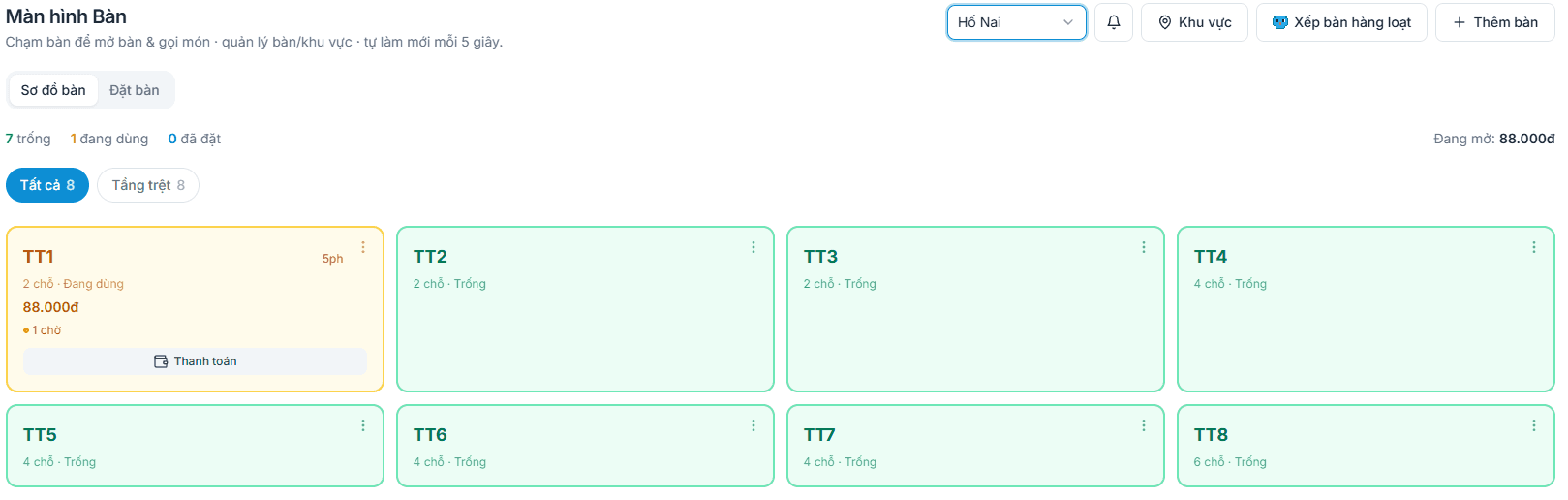
Table map, reservations and takeaway
- A table map that matches your real floor: free, occupied, reserved soon — you see where to seat people.
- Split, merge and move tables in one tap; the bill follows the table with nothing re-entered.
- Takeaway guests who pay upfront get a queue number and the order closes only once handed over.
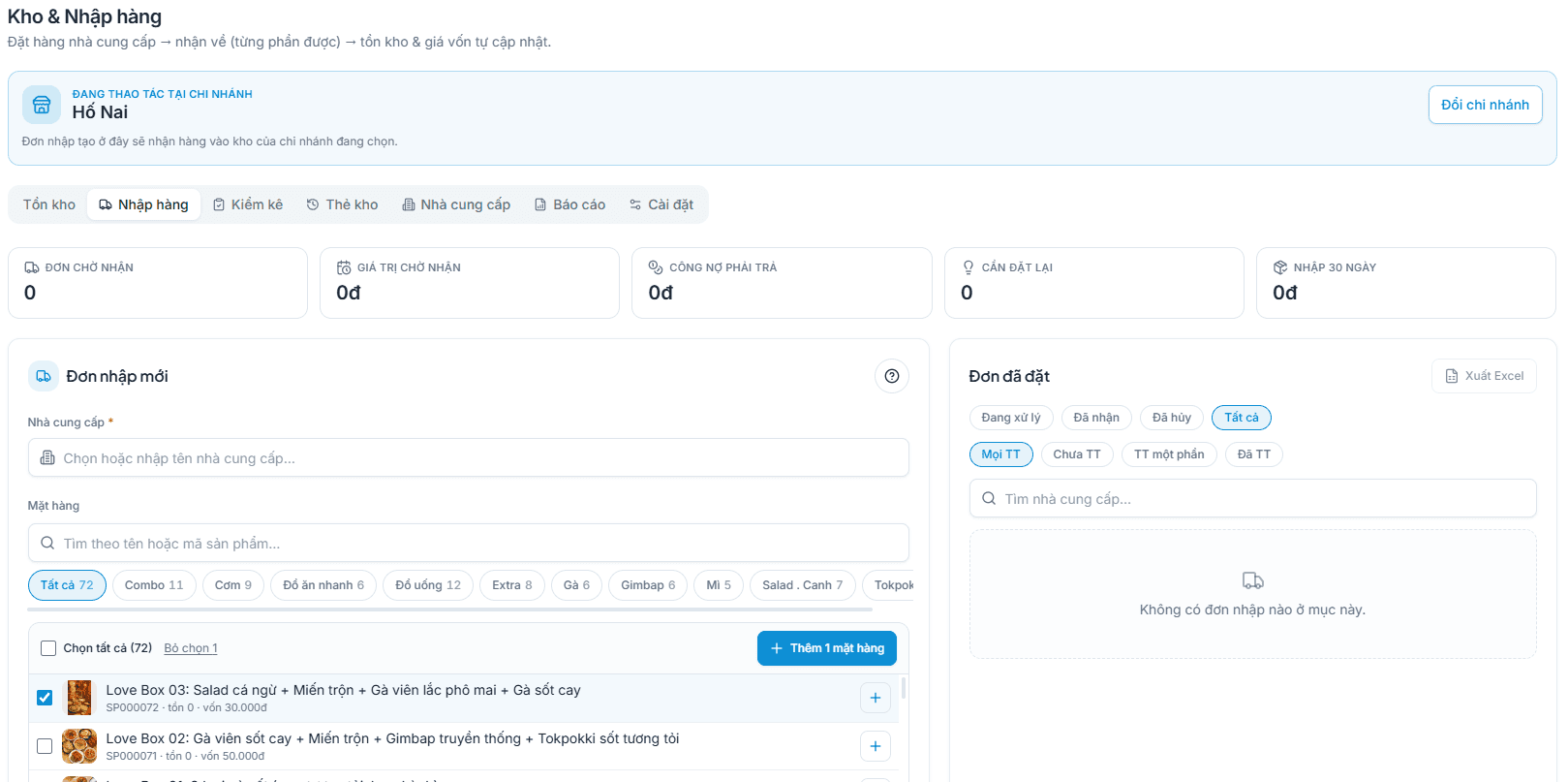
Ingredient stock and true item margin
- Purchases carry a cost price and shipping charges are spread into it, so the profit figure is real.
- Stock deducts per sale, and a minimum level warns you before an item runs out.
- Stocktakes compare against the books and differences become adjustments with a stated reason.
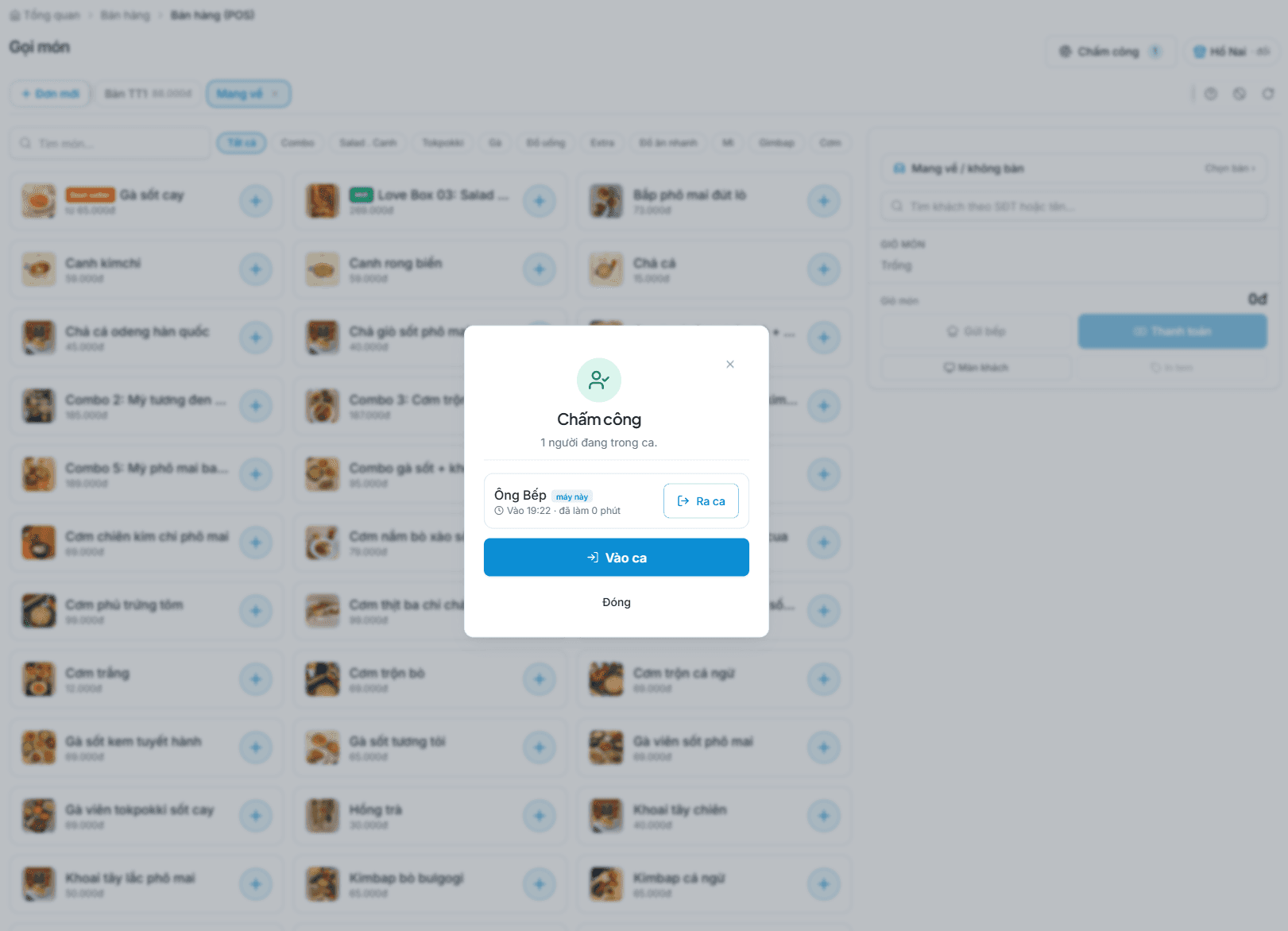
Checkout, invoices and shift close
- Take cash, bank transfer via an exact-amount QR, or split one bill across several methods.
- Toggle e-invoicing per order right on the payment screen without slowing the queue.
- At shift close the drawer count is compared with recorded sales and any variance is attributed to the person on duty.
Features built for how you operate
Bottle/can stock by crate, happy-hour promos applied automatically.
Tableside ordering & KDS
Take orders on a phone/tablet and push them straight to kitchen screens by prep station.
Variants & toppings
Configure sizes, sugar/ice levels and required/optional topping groups without limits.
Ingredient costing
Every dish auto-deducts ingredient stock, with low-stock alerts.
Fast checkout
Split/merge bills, multiple payment methods, kitchen & receipt printing.
Switch more on as you grow
These four areas already live in the same account — turn them on if you need them.
Accounting, tax & e-invoices
Household-business ledgers and returns built from sales data; e-invoicing toggles per order.
Learn moreBuild a website & sell online
Build your own branded site with AI; switch on the cart and web orders flow in and deduct the right stock.
Learn moreReceivables & cash flow
What customers owe you and what you owe suppliers in one ledger, with due dates and a cash book.
Learn morePeople & payroll
Shift plans, PIN clock-in at the counter, payroll and commission totalled automatically.
Learn moreWired into where money and paperwork travel
E-invoicing
Issued through a connected provider, toggled per order right at the terminal.
Banks & QR
An exact-amount transfer QR per order; money lands in your account and reconciles automatically.
GrabFood & ShopeeFood
Import delivery-app sales reports so revenue and platform fees sit in one report.
Your own domain
Run your store website on your brand’s domain instead of a borrowed address.
Never boxed into one model
On one SealSales account, switch on more industries when you need them — connected data, no double entry.
Other F&B business models
Cafes & bubble tea shops
Unlimited sizes, sugar/ice levels and toppings; golden hours fill the quiet slots.
Learn moreRestaurants & eateries
Tableside ordering, kitchen screens by station, split/merge tables at rush hour.
Learn moreBeer halls & pubs
Continuous rounds per table, bills accumulating accurately order by order.
Learn moreKaraoke & billiards
Automatic room/table hourly billing, food and drinks on the same bill.
Learn moreBakeries & dessert shops
Ingredient stock with lot and expiry tracking.
Learn moreCloud kitchens & takeaway
Online orders plus centralised delivery-channel reconciliation.
Learn more
Questions & answers
Will it hold up when the venue is packed?
The selling screen is built for rush hour: one-tap add, tickets sent the moment an order is confirmed, tables split and merged without rebuilding the order. It does need a steady connection — keep mobile data as backup.
Can I configure menus with many toppings?
Yes. Create variant groups (size, sugar, ice) and required/optional topping groups per item.
Is e-invoicing supported?
Yes. SealSales issues e-invoices and supports tax obligations to Vietnamese standards.
Bring your beer clubs & lounges business onto SealSales today
One platform, everything under control. Create your store in under a minute — the Free plan lasts forever, no card required.
- Free forever
- No card required
- Seal Nhân AI included